VibeBay news
How hiring works on VibeBay: from job post to approved work
A step by step look at hiring AI talent on VibeBay: posting a job, comparing proposals, where your money sits, fees, revisions and what happens if it goes wrong.
By VibeBay team4 min read
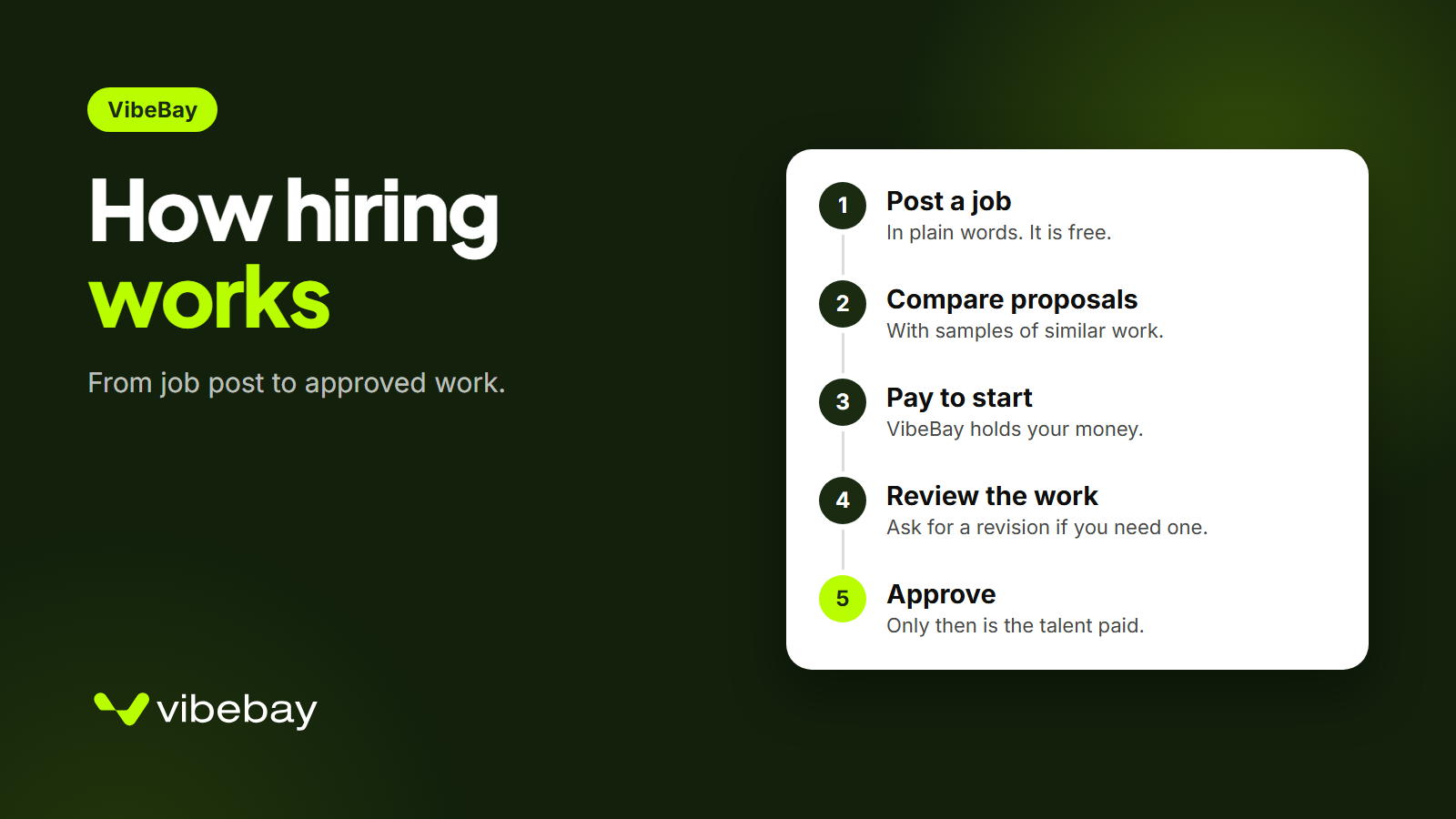
VibeBay is a marketplace for hiring AI talent: vetted people who use AI tools to build apps, make content and automate work. This page walks through a hire from start to finish, including where your money is at each step.
If you only read one line, read this one: you pay up front, VibeBay holds the money, and the talent is paid only after you approve the work.
Two ways to hire
Post a job. Describe what you need in plain words and let proposals come to you. This is best when you know the result you want but not who should do it.
Hire directly. Explore talent, look at their samples, and pick one of their fixed-price packages, called Vibes. This is best when you have found someone whose work you like.
Creating an account is free either way, and there are no monthly minimums.
Step 1: Post a job
You do not need a technical spec. A good job post answers a few simple questions:
- What is this for, and who will use it?
- What do you expect to receive at the end?
- What do you already have, such as a logo, copy or examples you like?
- What is your budget and your deadline?
You can save a draft and come back to it. You can also list requirements, such as the countries talent should be based in. Requirements warn talent who do not match. They do not block them, and you can still hire anyone who sends a proposal.
Step 2: Compare proposals
Talent whose skills match your job can send a proposal. Each one says how they would do the work, what it costs and when it will be done, with samples of similar work.
Every talent profile is reviewed by our team before it goes live. Compare on the things that matter:
- Do the samples look like what you want?
- Did they understand your brief, or send a stock answer?
- Is it clear what is included and what would cost extra?
Step 3: Pay to start
When you accept a proposal or choose a package, you pay at checkout. A 5 percent service fee is added to the price, and you see the total before you pay.
Card payments are handled by Stripe. Your card details never touch VibeBay's servers.
Your money does not go to the talent at this point. VibeBay holds it.
Step 4: The work is delivered
The talent does the work and delivers it through your order page. Messages and files stay in one place, so there is a record of what was asked and what was sent.
Keep the conversation and the payment on VibeBay. Our payment protection, refunds and dispute help only work when the order is here. A request to pay by bank transfer or another app breaks the rules on both sides, and it is the most common way people get scammed.
Step 5: Review and approve
Look at the delivery against your brief. Then:
- If it is right, approve it. The money is released to the talent.
- If it is not right yet, ask for a revision. Every package includes revisions, and most problems end there. Revisions cover bringing the work in line with the original brief. Something new is a new, separately priced request.
Please review promptly. If a delivery sits for 7 days with no response, the order completes on its own and the money is released.
If something goes wrong
Before work starts, you can cancel for a full refund, including fees.
Once work is in progress, you can propose a cancellation that you both agree to, or ask VibeBay to cancel where the delivery is late, missing or clearly not what was agreed.
If you cannot agree, open a dispute from the order page. Then:
- The order freezes. No money moves, and it will not complete on its own.
- Both sides explain what happened.
- A human mediator reviews the brief, the messages and the deliveries, within 3 business days of both sides responding.
- The mediator can release the money, refund it in full or in part, or split it.
Refunds go back to your original payment method and usually show within 5 to 10 business days. The full rules are in the Refunds and Cancellations policy.
What it costs
For clients
- Posting a job: free.
- Service fee: 5 percent, added at checkout.
- No subscription and no monthly minimum.
For talent
- Creating a profile: free.
- Commission: 15 percent of each order, 12 percent at the Expert level and 10 percent at the Elite level.
- Earnings become available after the client approves, or after a delivery sits for 7 days. Balances of $100 or more are paid out every Monday to talent who have a payout method and tax details in place.
How the two sides are protected
- Clients: your money is held until you approve. Revisions are included. A person reviews every dispute.
- Talent: the order is funded before you start. Revisions are limited to the brief. Disputes are judged against the brief, not against whoever pushes harder.
Ready to try it?
- Need something made? Post a job or explore talent.
- Do AI work yourself? Join as talent, or see open roles on the jobs board.
- Still have questions? The Help Center and the FAQ cover the details, and you can contact support.
New to hiring for this kind of work? Our guide on what to automate first in a small business is a good place to find your first job to post.